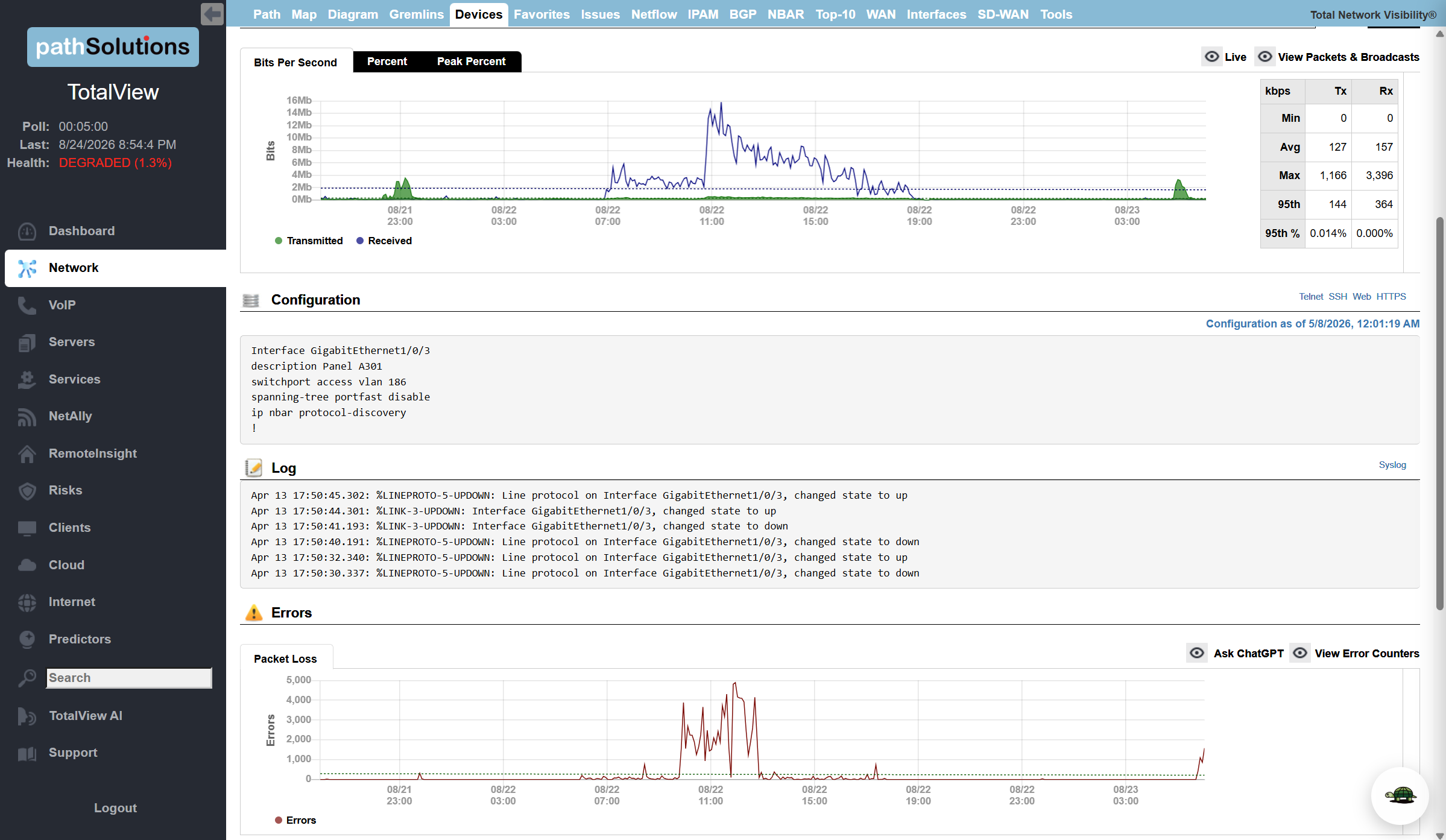
TotalView v15.1 focuses on faster troubleshooting and simpler day-to-day administration. Microsoft DHCP management now runs inside the console, with no need to remote into the DHCP server. The interface details page pulls configuration and recent syslog onto a single screen for quicker diagnosis. It also adds the foundational API support the upcoming TotalView AI depends on.
What’s New in TotalView 15.1
- IPAM upgrades. TotalView now handles full Microsoft DHCP management, including scope reservations, exclusions, and scope options. Manage it all from TotalView, with no need to remote into the DHCP server.
- Interface details improvements. The interface details page now shows the interface configuration for any backed-up device, plus its recent syslog messages, giving you the information you need to troubleshoot in one place.
- Expanded device inventory filtering. The Device Inventory sub-tab adds filtering by OS version, model, and serial number, so it’s faster to find inventory tied to a specific manufacturer, model, or software version.
- AI chat integration. One button copies all interface information to your clipboard. Paste it into your AI chat tool of choice and let it recommend a resolution.
- Foundational API support for TotalView AI. This release adds the core API support TotalView AI needs to run its analysis. TotalView 15.1 is required for the upcoming TotalView AI.
- Broader CPU and RAM monitoring. CPU and free RAM monitoring now covers additional manufacturers, extending visibility to more of the devices on your network.
- OAuth 2.0 email support. Email now supports OAuth 2.0 authentication for Microsoft 365 and Google accounts.